
 Affdis

Renoise AI Review: Image and Video Creation in One Creative Workspace
Creating visual content often involves switching between several tools: one for generating images, another for animating them, and still others for editing, resizing, or enhancing the results. Renoise AI aims to bring many of those jobs into one platform. It combines AI image and video generation with specialised creative tools for tasks such as turning sketches into images, making colouring pages, designing rooms, creating avatars, and producing short-form video.
This review explains what Renoise AI does, how its main tools work, who may find it useful, and what to consider before choosing a paid plan. It also looks at competing platforms and the situations in which Renoise may—or may not—be the right fit.
What Is Renoise AI?
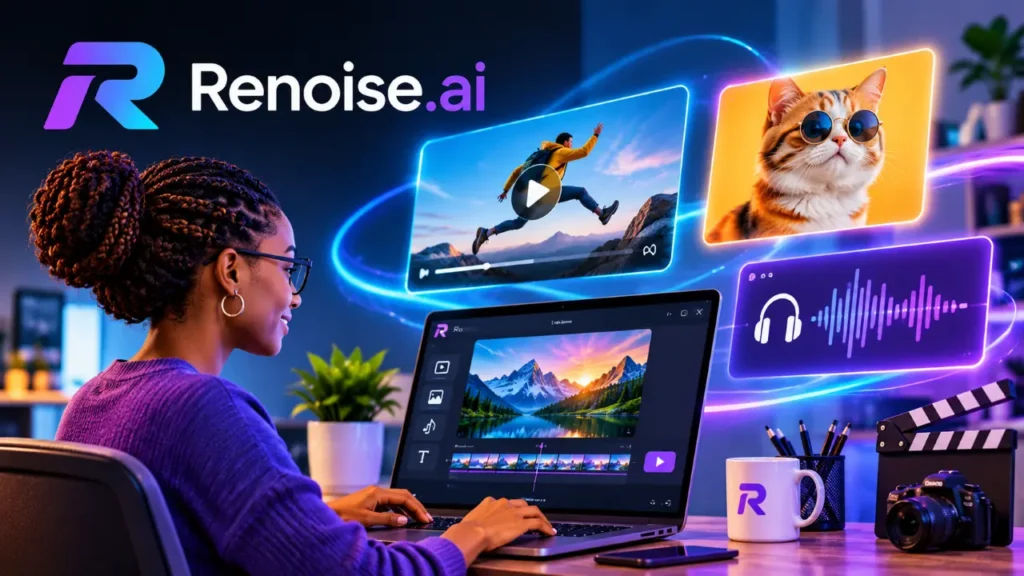
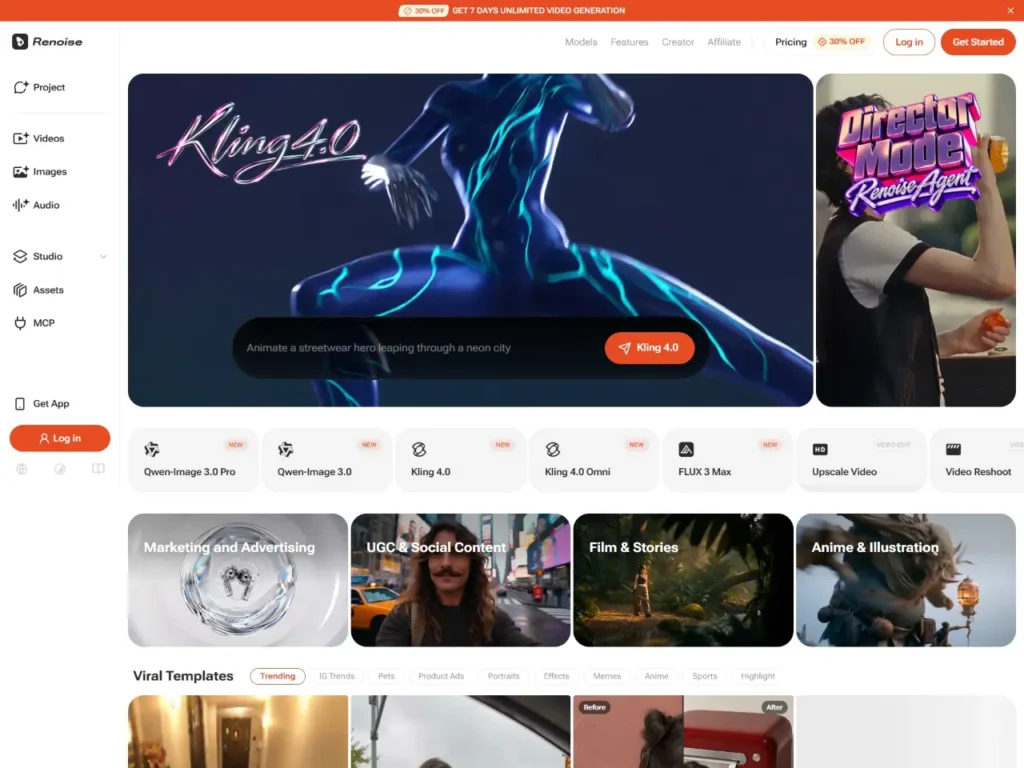
Renoise is an online AI image and video creation suite. Rather than focusing on a single generative model or a single narrow task, it brings together multiple models and task-specific tools in a shared workspace. Users can create images from prompts, transform existing images, generate AI audio, generate videos, and use guided workflows to achieve specific visual outcomes.
The platform’s feature range includes AI video generation, image creation, product video workflows, image extension, room design, animated faces, and tools for social content. Renoise also offers a chat-based feature called Renoise Agent, currently in beta. The Agent is intended to help translate a user’s goal into a workflow: users describe what they want, receive a suggested prompt and model choice, review the cost of credits, and approve generation.
This breadth is the platform’s main appeal. A creator may start with a rough sketch, generate a polished image, animate it, and prepare a short clip without leaving the same environment. However, a broad collection of tools also means users should check the capabilities, output quality, limits, and credit costs for the particular workflow they intend to use.
Main Functions and Features
AI image generation
Renoise can generate images from text prompts and offers access to several image-generation models. The platform’s listed model ecosystem includes Midjourney V7, GPT Image 2, Grok Imagine, and Seedream 5.0 Pro or Lite. Availability and model choices may change over time, so users should check the current interface before planning a project around a particular model.
Multiple models can be useful because image tools differ in their strengths. One may suit a particular illustration style better, while another may produce a different balance of detail, composition, or prompt interpretation. Having several options in one place can reduce the need to maintain separate services, though it does not guarantee that every model will be equally suitable for every task.
Renoise AI Sketch to Image
Renoise AI Sketch to Image is designed to turn a rough drawing or visual outline into a more developed image. A user can provide a sketch as a starting point and describe the desired subject, style, colours, or setting. This can help illustrators explore different directions and make visual planning more accessible to people who do not draw at a polished level.
The result depends on the clarity of the reference and the prompt. A rough sketch that communicates the main shapes and arrangement may be enough for exploration, while a complex composition may require a more precise reference or several iterations.
Renoise Photo to Colouring Page
Renoise Photo to Colouring Page converts a photograph into line-art-style output intended for colouring. This could be useful for family activities, classroom projects, printable gifts, or simple creative exercises. Users should check the resulting outlines before printing: fine details, background clutter, or low-contrast photographs can produce uneven lines or areas that are difficult to colour.
Renoise AI Face Generator and Renoise AI Smile Generator
The Renoise AI Face Generator is designed to generate faces or character portraits, while the Renoise AI Smile Generator focuses on creating or modifying a smiling expression. These tools may suit avatar creation, concept art, or experimenting with portrait variations.
As with other face-generation tools, users should be mindful of consent and context when working with identifiable people. For professional or public-facing use, review the platform’s current terms and ensure that any input images are used appropriately.
Renoise AI Image Extender
Renoise AI Image Extender is intended to expand an image beyond its original boundaries. This can help adapt a composition to a wider or taller layout, provide additional background space, or prepare a visual for a different aspect ratio. Image extension is especially useful when a source image is visually appealing but does not fit the format required for a website, a thumbnail, a post, or a presentation.
The added areas are AI-generated, so they may not match the original perfectly. It is worth checking edges, repeated patterns, text, and objects near the boundary before using an extended image in a finished design.
Renoise AI Room Design
Renoise AI Room Design helps users explore interior design ideas using AI-generated room visuals. It can be used to experiment with styles, colours, furnishings, or room concepts. Homeowners might use it to communicate an idea before redecorating; designers might use it for early-stage inspiration or mood-board material.
AI room images are best treated as concept visualisations rather than architectural plans. Generated images may not accurately represent measurements, construction constraints, product availability, or the exact appearance of real materials. Confirm dimensions and practical details separately before making renovation decisions.
Renoise AI Character Generator and Renoise AI VTuber Maker
The Renoise AI Character Generator supports creating character concepts, which may be useful for storytellers, game creators, illustrators, and social media users. The Renoise AI VTuber Maker is geared toward avatar-style character creation for virtual personas and streaming-related content.
These workflows can help users move quickly from a broad concept to a visual direction. If consistent character identity across many images or scenes is important, test that specific workflow before committing to a longer project. Character consistency can be challenging for generative systems, particularly when poses, clothing, or camera angles change.
AI video generation and animation
Renoise provides AI video-generation features and lists models including Seedance 2.0 or 2.5, Kling 3.0 Omni, HappyHorse 1.0, and Hailuo H3. Model availability and costs can vary by output settings. The range gives users a way to experiment with different video-generation options without treating the platform as a single-model tool.
Relevant creative workflows include Renoise Photo to Video, which animates or turns a still image into video; Renoise AI Animated Face, which focuses on bringing a face to life; and Renoise AI Dance Generator, which is intended for dance-style animation. These may be useful for social content, character tests, visual experiments, or short promotional pieces.
For creators working with illustrated styles, Renoise AI Anime Video Generator offers an anime-oriented video workflow. Users should review generated movement and details carefully, since motion, facial features, and continuity can vary from one generation to another.
Renoise AI Product Video and Renoise Reels Generator
Renoise AI Product Video aims to create video content that showcases a product. This may help small businesses, online sellers, and marketers produce visual concepts for ads or product pages. AI-generated product visuals need careful review: packaging, logos, text, proportions, and product features can be altered or rendered inaccurately. For anything representing a real item, check every frame against the actual product.
The Renoise Reels Generator is designed for short-form social video. It may help creators develop quick visual ideas or produce content suited to vertical, feed-oriented platforms. Short clips can still require editing, captions, music, and platform-specific formatting before publication.
Renoise AI Video Enhancer and Renoise AI GIF Generator
Renoise AI Video Enhancer is designed to enhance or process video output, while Renoise AI GIF Generator supports creating GIF-style animated content. These tools can be useful for repurposing assets, making lightweight animations, or preparing visuals for web and social use.
Before relying on enhancement for a final deliverable, compare the output with the source. Processing may change details rather than simply restore them. For GIFs, consider file size, frame rate, and looping behaviour, especially when the result will be used on a website.
Renoise Agent
Renoise Agent is described as a beta chat-based workflow assistant. Instead of requiring users to choose every setting at the outset, the user can describe a goal in natural language. The Agent can help shape the prompt, select a model, and show the expected credit cost for approval before generation.
This approach may lower the barrier for newcomers who are unsure how to phrase prompts or select a model. Since it is a beta feature, users should expect the workflow to evolve and verify that the proposed settings match their requirements before approving a generation.
How to Use Renoise AI
The general workflow is straightforward:
- Choose a task. Select the relevant image or video tool, such as image generation, sketch conversion, room design, or image-to-video.
- Add a prompt or source image. Describe the subject, desired style, setting, composition, and any details that matter. For image-based workflows, upload a suitable source image or sketch.
- Select a model and settings. Where available, choose a model, aspect ratio, resolution, or other generation settings. Consider the credit cost before starting.
- Generate and review. Examine the output for visual errors, unintended changes, or details that do not align with the brief.
- Refine the result. Adjust the prompt or source image and generate again if needed. For video, review the full clip rather than only its opening frame.
- Export and prepare for use. Check the format, dimensions, quality, and any platform-specific requirements before publishing or sharing.
For Renoise Agent, the process begins with describing the intended outcome in chat. Review the suggested prompt and model, then approve the generation only after checking the displayed credit cost.
Good prompts usually state what the image or video should contain, how it should look, and what must remain unchanged. For example, a product video prompt should be specific about the product’s appearance and the desired movement or scene. For editing tasks, clearly distinguish what should change from what should be preserved.
Renoise AI Pricing
The pricing information gathered for Renoise lists three paid tiers, with different monthly prices depending on whether users choose monthly or annual billing:
| Plan | Listed price range | Credits | Unlimited access |
| Starter | $14–$20 per month | 1,200 | Not included |
| Standard | $42–$60 per month | 3,600 | 2 days |
| Advanced | $140–$200 per month | 14,000 | 7 days |
The listed ranges reflect the difference between billing options. The exact checkout price and terms should be confirmed on Renoise’s pricing page before subscribing, as plans can change.
Renoise uses shared credits across its features, so image and video work draw from the same general allowance. This makes it important to estimate usage by generation type. For example, the gathered pricing details list Seedance 2.5 at 16 credits per second for 480p, 32 credits per second for 720p, and 72 credits per second for 1080p. Higher-resolution video can therefore consume credits much faster.
A practical way to evaluate a plan is to estimate the number and length of outputs you expect to create, then compare that usage with the monthly allowance and any unlimited-access period. “Unlimited” windows may be useful for intensive work, but users should read the current plan details to understand which models, settings, and limitations apply.
Application Scenarios
- Social media content: Creators can use Renoise to develop images, animated faces, dance clips, anime-style videos, GIFs, and reels. This may help when a channel needs frequent visual experiments or when a creator wants to test concepts before investing in a more involved production.
- E-commerce and product promotion: Small businesses may use AI-generated product-video concepts or visuals as starting points for campaigns. The platform may speed up ideation, but product accuracy is essential. Generated depictions should not misrepresent a real product’s appearance, packaging, size, or function.
- Illustration and creative exploration: Artists and hobbyists can use sketch-to-image conversion, character generation, and image extension to explore compositions or styles. These features may be particularly useful in the early stages of a project, when generating alternatives matters more than producing a final, fully controlled asset.
- Interior design inspiration: Room-design tools can help homeowners or designers explore visual themes and communicate broad ideas. They are most useful as an aid for inspiration, not as a substitute for measured plans, material samples, or professional design advice.
- Education and family activities: Photo-to-colouring-page conversion can support printable activities, classroom materials, or personalised creative projects. Teachers and parents should check image rights and review the output for age-appropriate content before sharing it.
- Virtual identities and character concepts: The VTuber maker and character generator can help users develop virtual personas, mascots, or early character designs. This may suit streamers and storytellers who want to explore a visual identity before commissioning or building a production-ready character.
Pros and Cons
Pros
- Broad feature set: Renoise brings a wide range of image and video workflows to a single platform.
- Multiple models: Access to several listed models gives users options for different creative tasks.
- Specialised tools: Features such as room design, sketch conversion, and colouring-page generation are more guided than a blank prompt box.
- Image-to-video workflows: Users can explore motion and animation from still images.
- Shared creative environment: Working on related tasks within a single service may reduce the need to switch between separate tools.
- Agent-assisted workflow: The beta Renoise Agent may help users turn a goal into a prompt and model choice.
- Several plan sizes: The listed tiers offer varying credit allowances based on usage level.
Cons
- Credit consumption can vary: Video, especially at higher resolutions, may use credits quickly.
- Plan details need checking: Prices, unlimited periods, model access, and usage terms may change; confirm them before subscribing.
- Generated results need review: Images and videos can contain visual inconsistencies or change important details.
- Product accuracy concerns: AI-generated product visuals may not reliably preserve real branding, packaging, or physical features.
- Beta functionality may change: Renoise Agent is described as beta, so its behaviour and availability may evolve.
- Many tools can feel complex: A large menu of models and workflows may take time to understand.
- Not a complete replacement for editing software: Users may still need dedicated tools for precise compositing, timeline editing, typography, or detailed retouching.
Alternatives and Competing AI Tools
The best alternative depends on the specific task. Some platforms focus on image generation, while others specialise in video, design, or professional editing.
- Midjourney: A well-known image-generation option for creating stylised and highly visual artwork. It may appeal to users focused primarily on image creation rather than to those seeking a broad suite of utility tools.
- OpenAI image generation: A conversational image-generation workflow can be useful for users who want to describe an image in natural language and iterate through dialogue.
- Kling AI: A video-generation platform to consider for users whose main priority is turning prompts or images into video.
- Hailuo AI: Another video-generation option, particularly relevant for creators comparing motion-oriented generative tools.
- Seedance: A model family listed in Renoise’s ecosystem that may also be available through other routes; users can compare access, settings, and pricing.
- Canva: A broader design platform suited to creating social posts, presentations, and marketing materials, with AI-assisted features included in a larger editing workflow.
- Adobe Firefly: A creative AI offering that may suit users already working within Adobe’s design and editing ecosystem.
- Runway: A creative platform associated with AI video and visual production workflows, worth considering for users who need more dedicated video-oriented tools.
Feature sets and access arrangements for these services change over time. Compare the current model quality, commercial-use terms, output controls, pricing, and export options for the task you care about rather than relying on a tool’s headline feature alone.
Who Should Use Renoise AI?
Renoise may be a good fit for content creators, marketers, small businesses, illustrators, hobbyists, and anyone who wants to experiment with AI-generated images and videos. It is especially relevant to users who value variety: the platform’s mix of models and specialised tools can support several stages of a creative workflow.
It may be less suitable for users who need exact, repeatable control over every visual detail, or who produce high volumes of video and need predictable costs. Professional teams should also assess collaboration features, commercial rights, privacy terms, and workflow integration before incorporating Renoise into a production pipeline.
Final Verdict
Renoise AI is a versatile visual creation suite that combines image and video generation, image editing workflows, and creative utilities into a single service. Its tools span sketch conversion, colouring pages, face and character creation, room visualisation, image extension, animation, GIFs, and short-form video. The variety of models and guided workflows make it appealing to creators who want to explore different formats without having to assemble a collection of separate tools.
The main considerations are credit usage, the reliability of generated details, and the need to verify current pricing and plan terms. Video generation can quickly consume credits, while specialised outputs, especially product visuals and room concepts, should be reviewed rather than treated as exact representations. Renoise Agent may make the experience more approachable, though its beta status means it should be evaluated as an evolving feature.
For casual creators and teams seeking a flexible space for visual experimentation, Renoise is worth exploring. For production-critical work, compare its outputs and costs with those of specialist tools, and keep a human review step in the workflow.